Sales pipeline
Keep each opportunity visible from qualification and proposal through invoicing, payment and delivery while the value and next action stay clear.

EM Resolve Flow connects the sales pipeline, invoicing, payment, client work and business reporting so nothing disappears between winning a job and completing delivery.
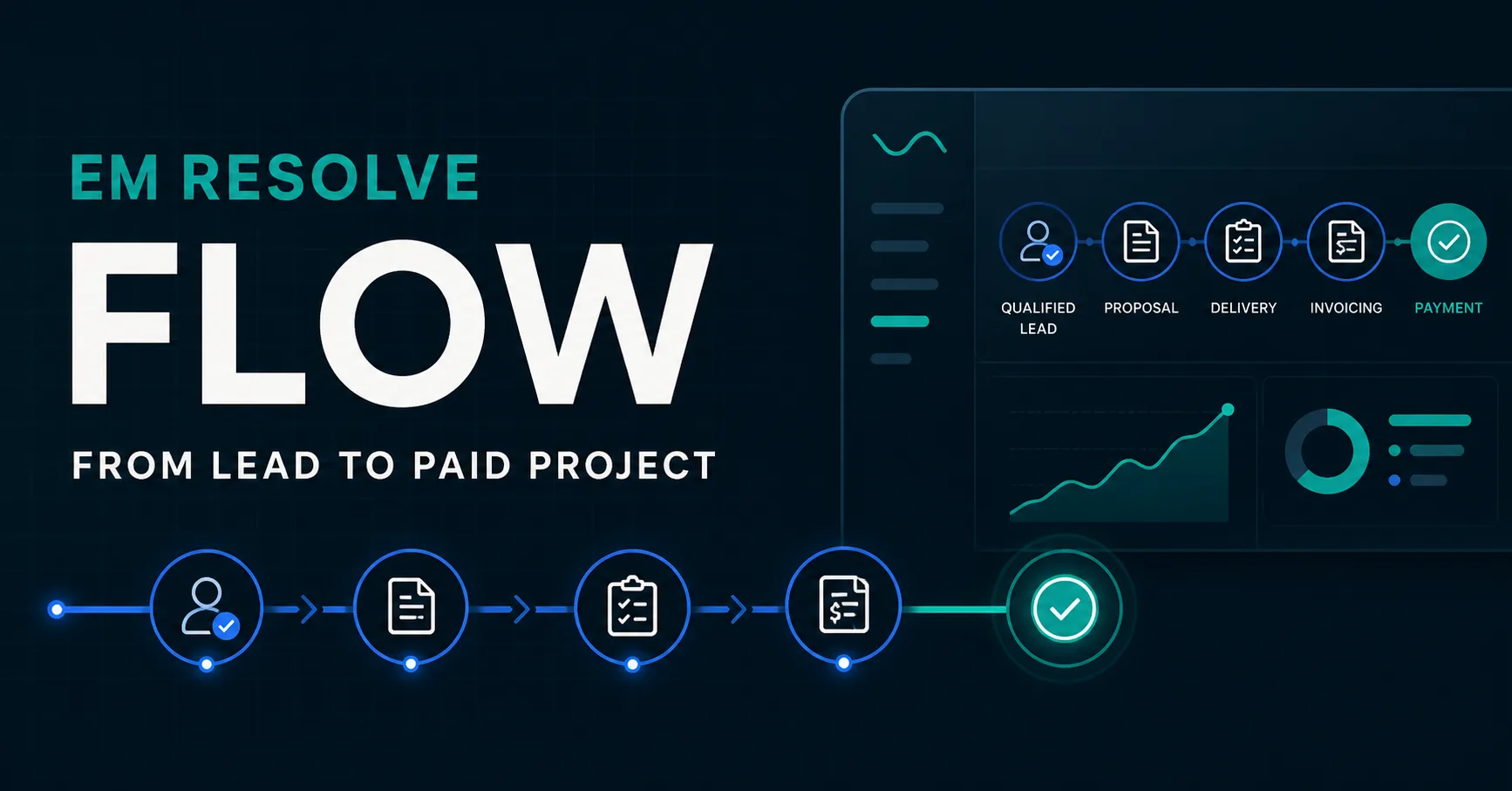
A lead could be organized in the CRM, but after approval the project moved into a different set of notes, documents and reminders. Invoicing created another handoff, while reporting meant manually comparing several places.
Flow was built to close that gap. The same client and project now move through one controlled journey—from the first qualified opportunity to a paid invoice and a completed client relationship.
The modules are connected, but each remains focused. Teams can see what matters without turning the system into another layer of administration.
Keep each opportunity visible from qualification and proposal through invoicing, payment and delivery while the value and next action stay clear.
Keep contact details, project history, service, value, notes, progress and responsibilities together from the first conversation onward.
See which proposals are waiting for a decision and keep approved work visible until the deposit and kickoff are handled.
Create invoices from project information, calculate tax and totals, share them with customers and keep invoice status synchronized with the project.
Give each client a clean, shareable view of project progress, next steps, target dates, deposit information and invoice status.
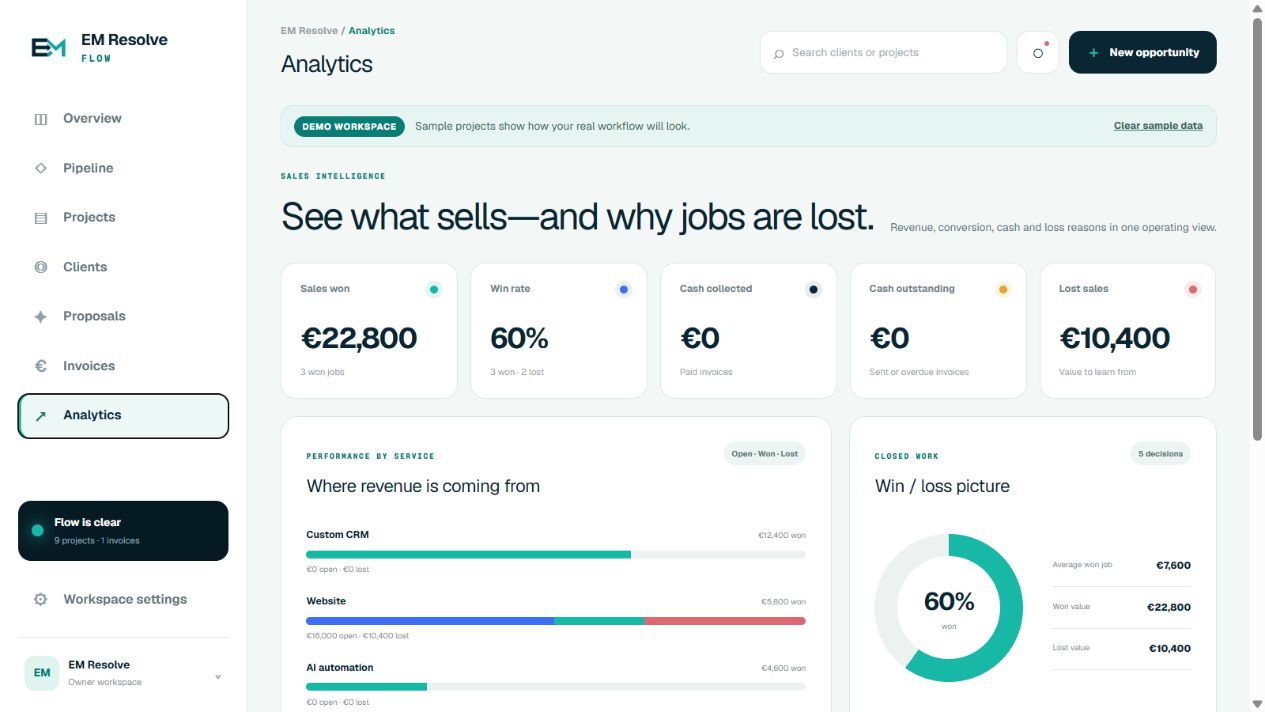
See sales won, win rate, collected cash, outstanding invoices, lost value and performance by service in one operating view.
These views use sample companies and projects to show the actual product experience without exposing private customer information.
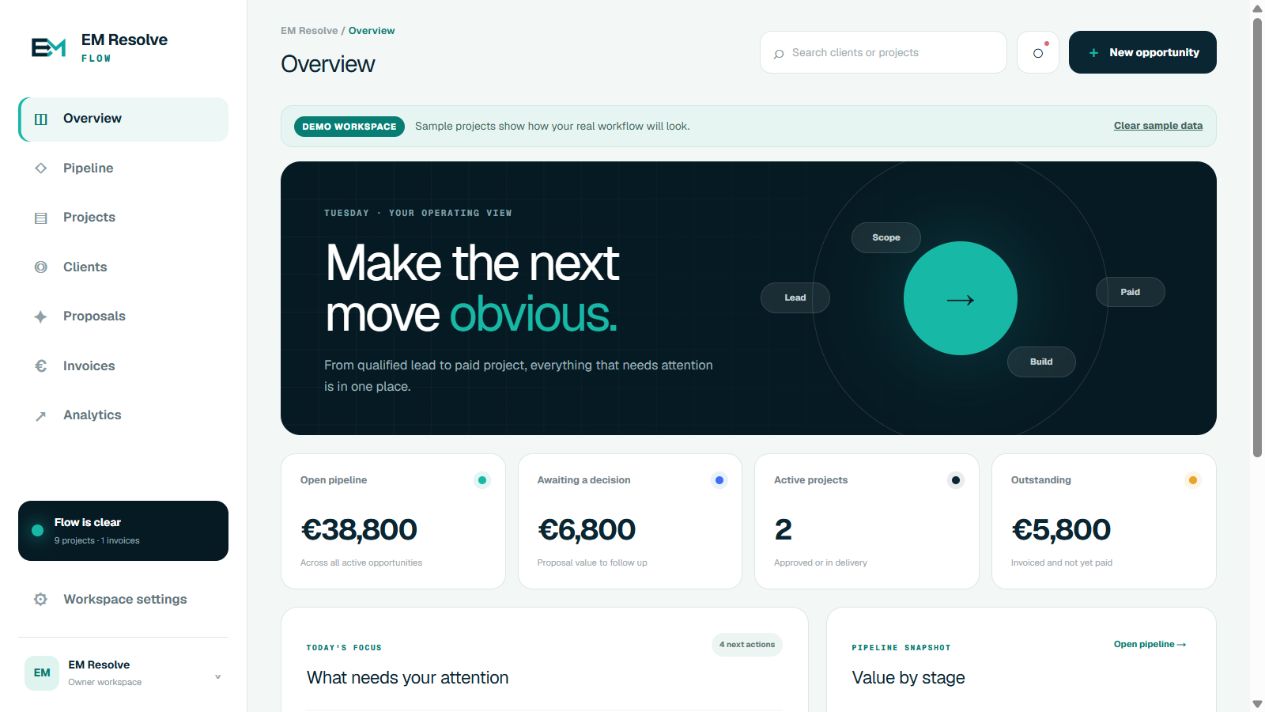
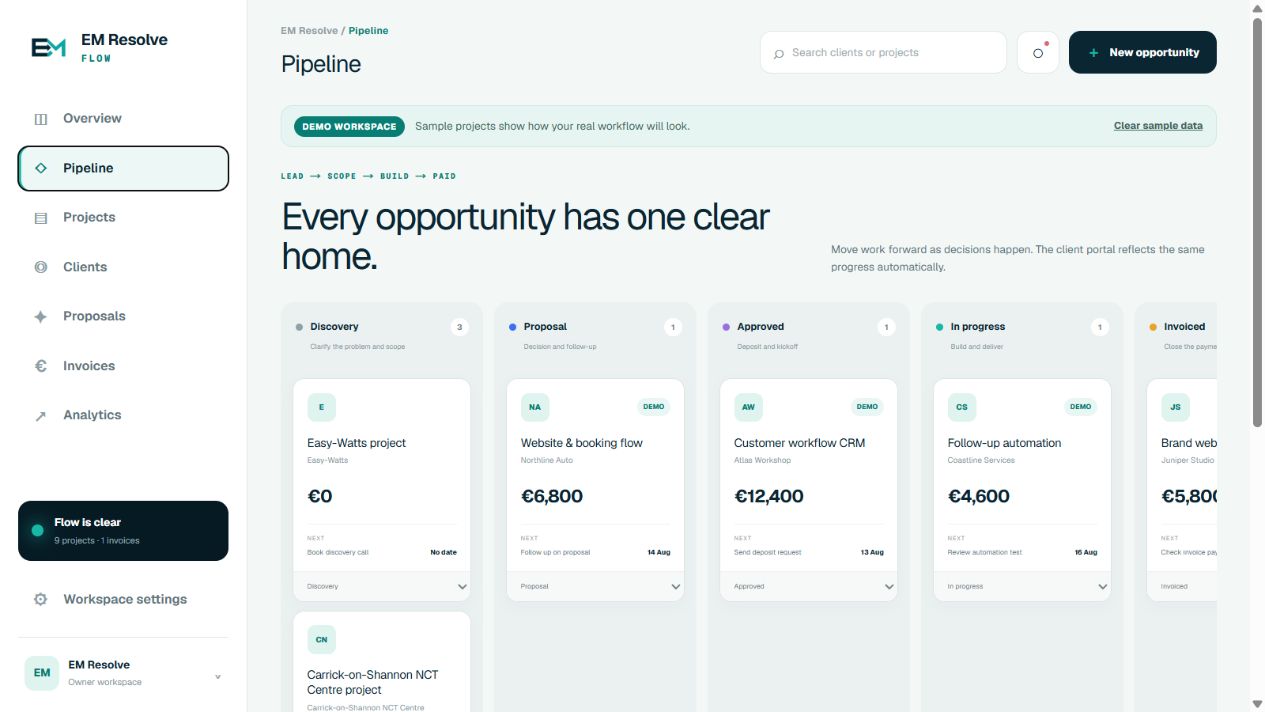
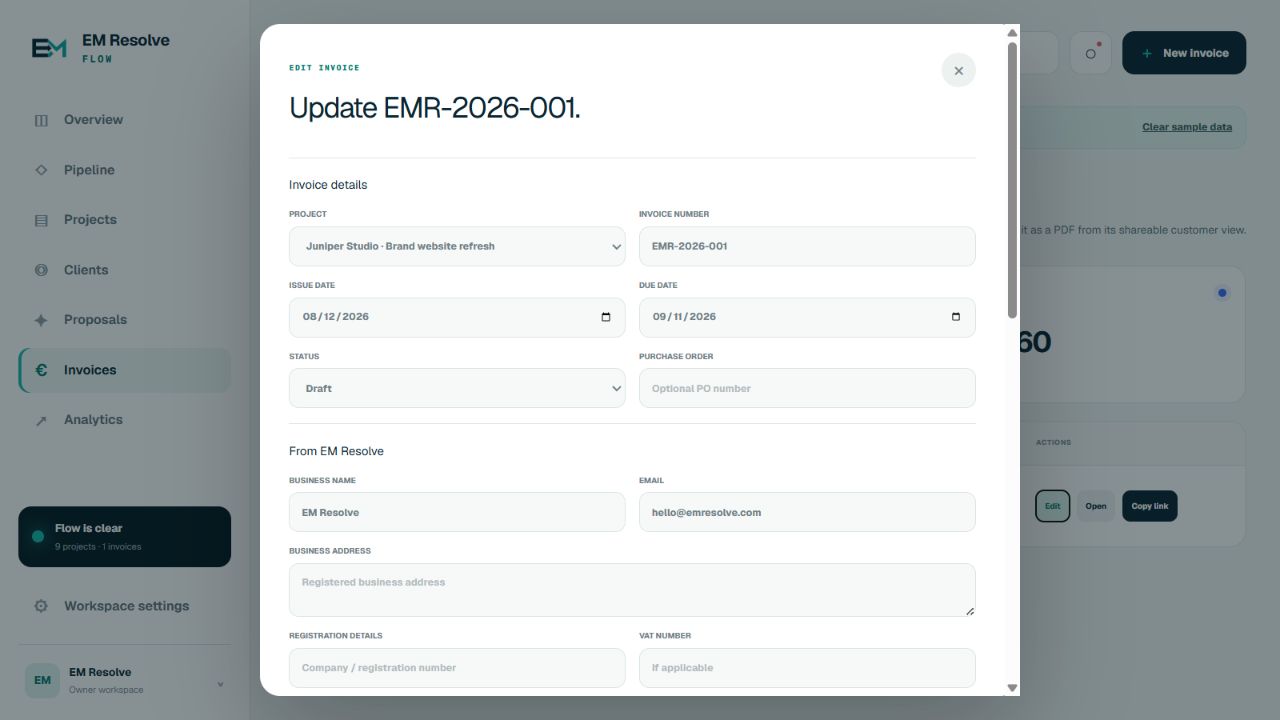
Each stage changes what the team needs to do next. Flow keeps that action, value, due date and customer context attached to the work.
A Kanban pipeline, due dates, project value and today's focus keep every opportunity in the right place.
Invoices, customer views, payment status and cash reporting stay connected to the project that created them.
Projects, clients, approvals, payments and progress stay connected through the completed delivery.
Flow can prefill an invoice from the project, then add the commercial details needed for the customer-facing document. The shared invoice view can be opened in a browser, printed or saved as a PDF.
Explore custom invoicing systemsSeller and buyer information, registration and tax IDs, purchase order and contact details.
Descriptions, quantities, unit prices, subtotal, configurable tax rate and total.
Issue and due dates, payment instructions, late-payment terms, notes and recovery details.
Draft, Sent, Paid, Overdue or Void—with the project moving to Invoiced or Paid when appropriate.
The EM Resolve Lead CRM can securely transfer an approved opportunity into Flow with the company, contact, service, value, next action, notes and source record already attached.
Research and approve the opportunity before it enters delivery.
A protected one-click connection creates or updates the matching Flow project.
Manage proposal, invoice, payment, delivery and client visibility from one record.
Match the real journey from inquiry through approval, invoicing, payment and delivery.
Configure company details, numbering, taxes, terms, currencies and customer-facing fields for the business.
Connect the system to an existing CRM, spreadsheet, intake form or other useful source of truth.
Choose the pipeline, revenue, cash and loss information that actually supports decisions.
Flow is a real working system and a reusable example of what EM Resolve can build around another company's process. The exact workflow, invoice fields and integrations are tailored to each business.
Client, project, proposal, invoice and next-action context stay connected.
Information moves forward with the work instead of being copied into another tool.
Teams and clients can each see the right stage, while owners see pipeline and cash.
A focused Flow MVP can solve one project-to-invoice process. CRM, portals, analytics and additional workflows can be introduced in practical phases.
These are typical starting points for a new project—not the price paid for the featured work.A clear first step
No technical brief and no commitment. Show us the problem in your own words and we'll work out the most practical next step.